
BPMN Diagram#
The BPMN Diagram section (in the Graph and Diagrams menu) builds a BPMN diagram of the process based on the event log of the selected process.
1. Opening the Screen#
- In the left menu, open Graph and Diagrams → BPMN Diagram.
- Alternatively, on the Processes screen, select a process and click Show BPMN Diagram — the same screen will open with the already selected project and process.
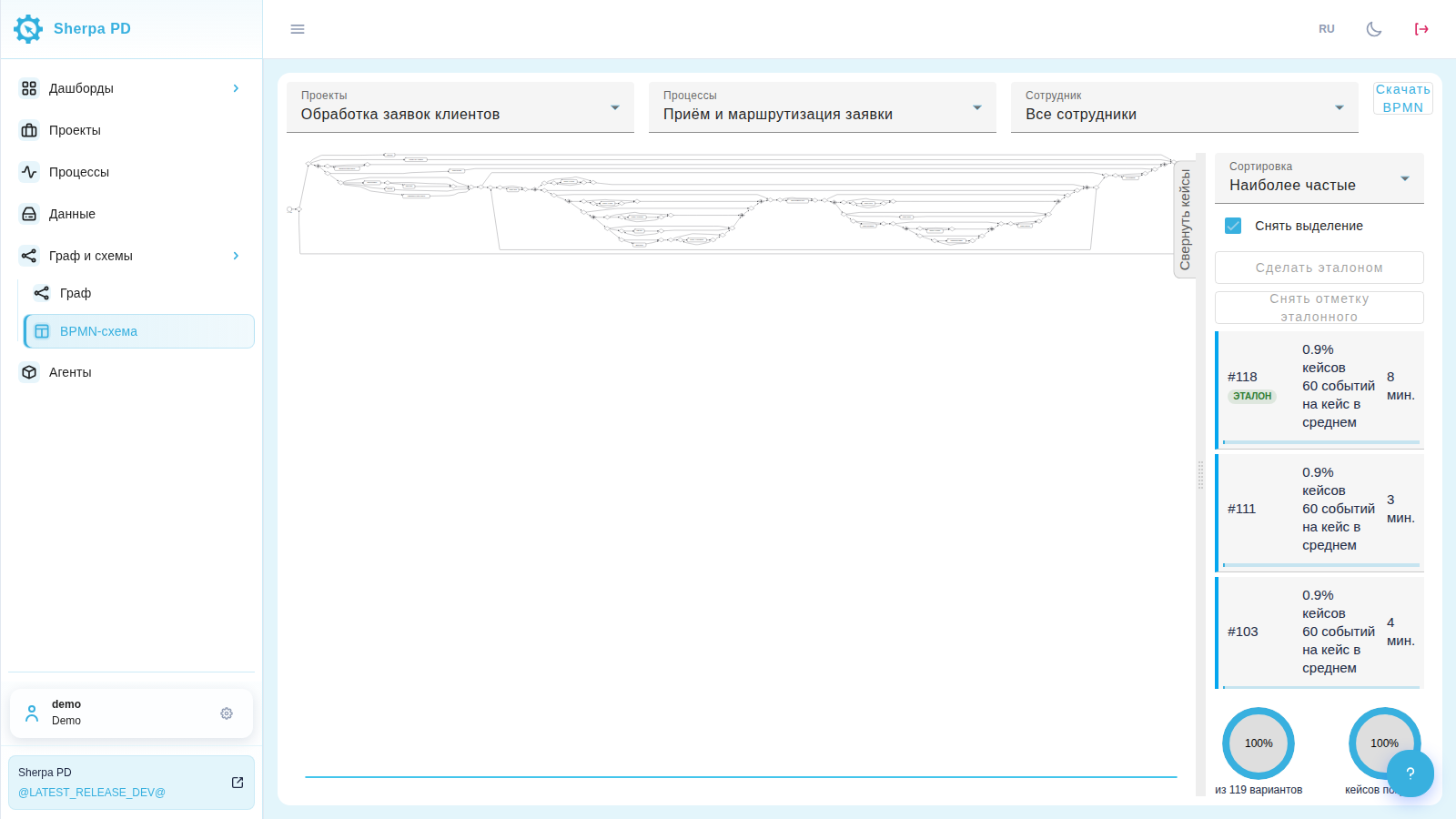
2. Selecting Project and Process#
- In the top panel, select Project and Process.
- After selection, the system automatically builds the diagram. While the diagram is being built, a Building BPMN Diagram... indicator is displayed.
- If there is no data, a message No data to build BPMN Diagram will appear.
- In case of a building error, click Retry.
3. Employee Filter#
If Project Employees are configured in the project, a Employee list is available in the panel:
- All employees — diagram for all usernames in the project;
- specific employee — only events for their username from the logs.
4. Source of Node Names#
For operational analysis projects, you can switch the view (as on the Graph screen):
Action— types of actions;AppName— application names;AppPath— paths to applications.
5. Filtering and Cases#
On the right, there is a Cases panel — it works the same way as on the Graph screen:
- sorting options (by frequency, duration);
- Select All / Deselect;
- selecting one or more cases (holding down the Ctrl key);
- Collapse Cases / Expand Cases — free up space for the diagram.
The selected cases determine which process options are included in the BPMN diagram.
Reference Case: The buttons Make Reference and Remove Reference work the same way as on the Graph screen (requires permission to modify the graph).
6. Navigation in the Diagram#
- Zoom — mouse wheel.
- Dragging — hold down the left mouse button on the canvas.
- Clicking on a task (rectangular node) opens the table of source events, as on the Graph.
7. Export#
The Download BPMN button saves the current diagram to a .bpmn file for transfer to external BPMN editors.
8. Access Rights#
Viewing and building the BPMN diagram require access rights to the graph (access_graph). Assigning and removing the reference case requires rights to modify the graph (access_graph.update).