Roles#
The Roles section lets you create and edit user Roles.
1. Role list#
Open Roles from the left menu.
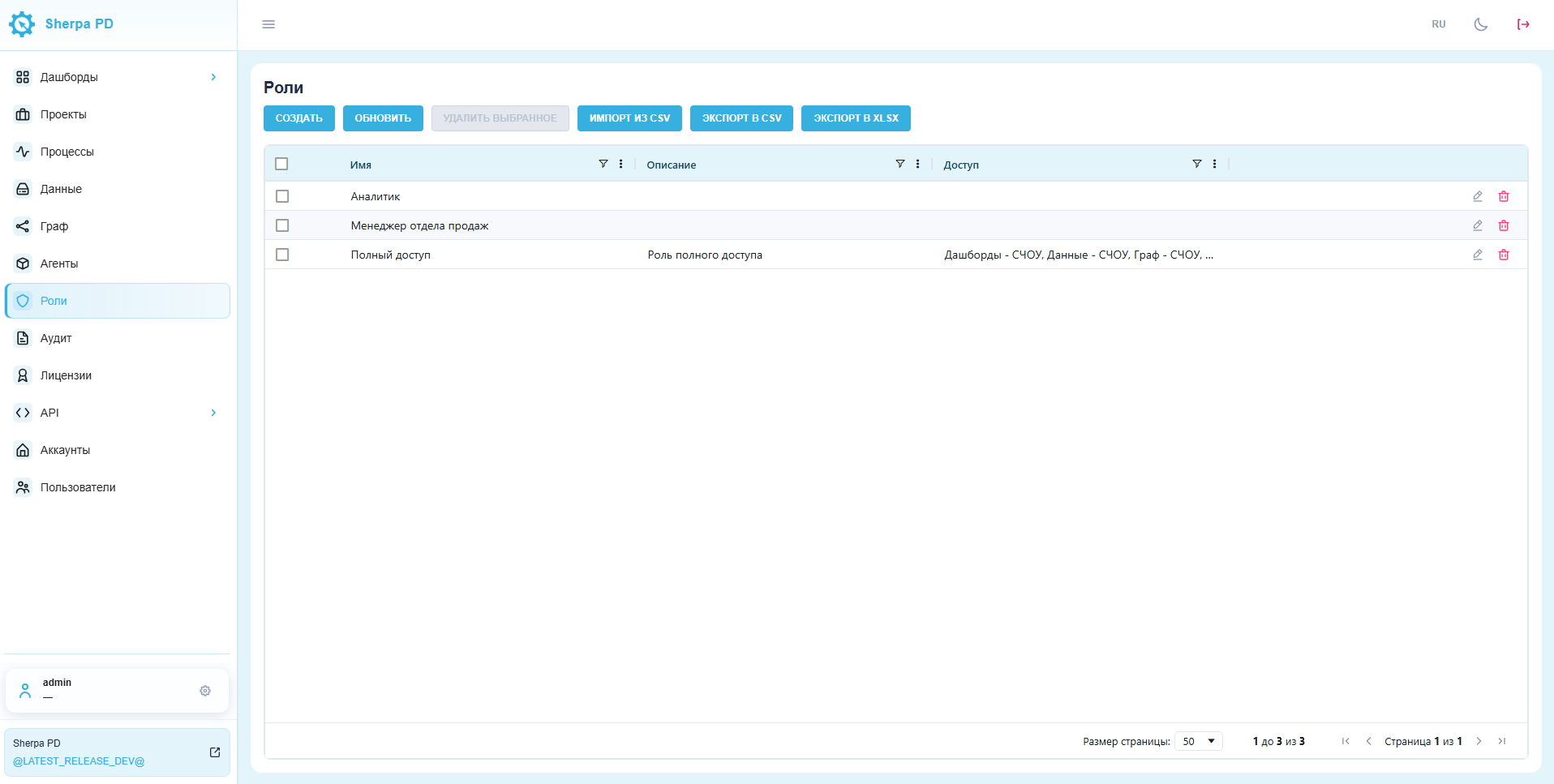
If the item is missing from the menu, click the gear next to your username. In the window that opens, click the pin icon next to Roles to add it to the main menu.
The Roles table contains these fields:
- name;
- description;
- access;
- edit and delete icons.
2. Create a Role#
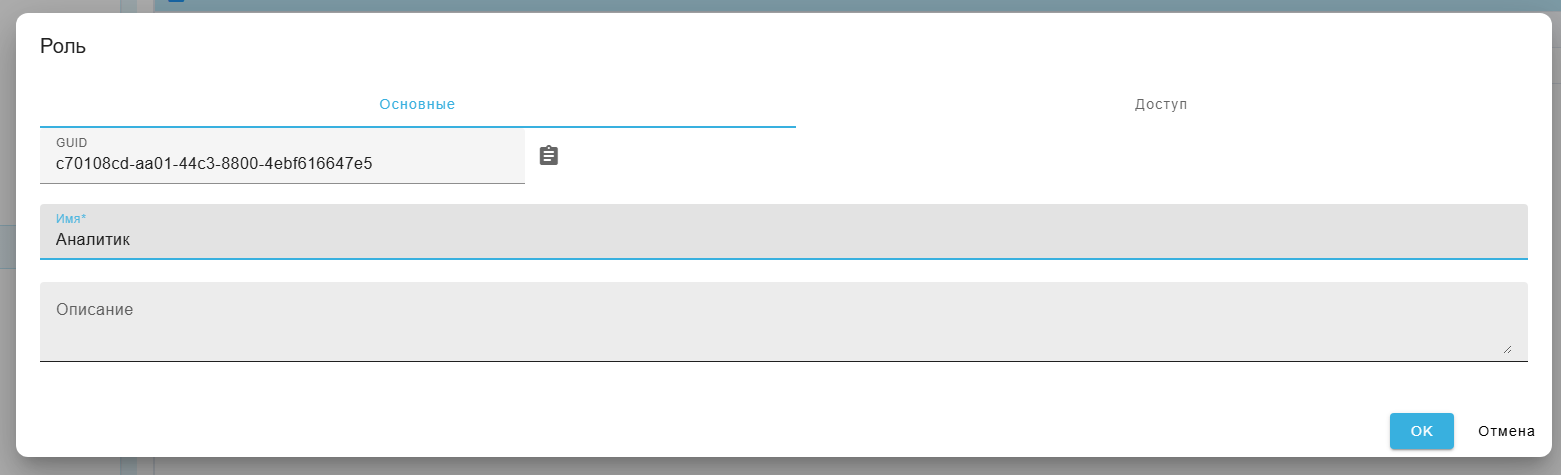
When creating a Role, a dialog opens with two tabs.
On the Basic tab, enter a Role name and optionally a description.
On the Access tab, set the access rights for each section.
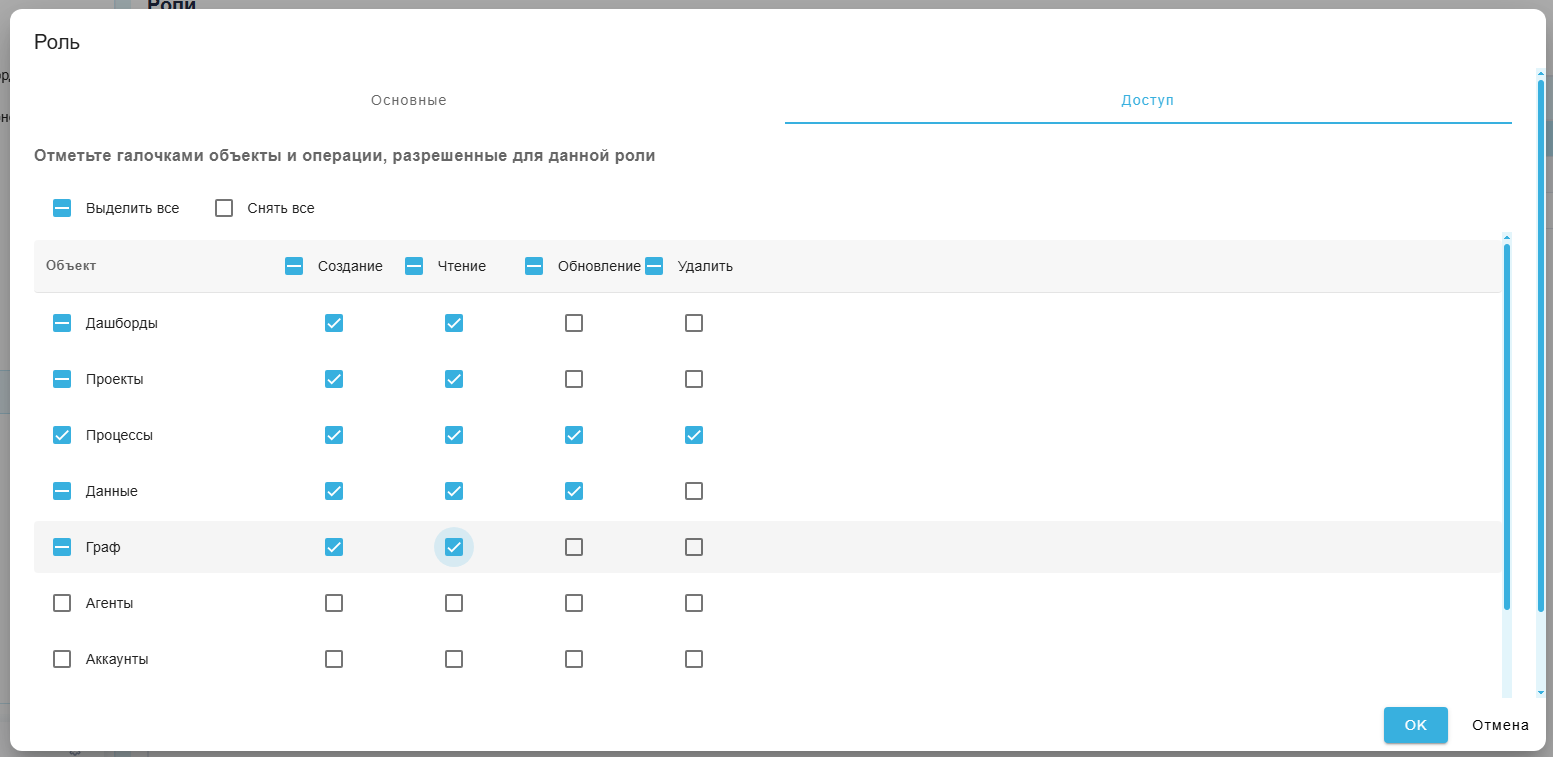
The Role determines which rights the user has in each section.