
Audit#
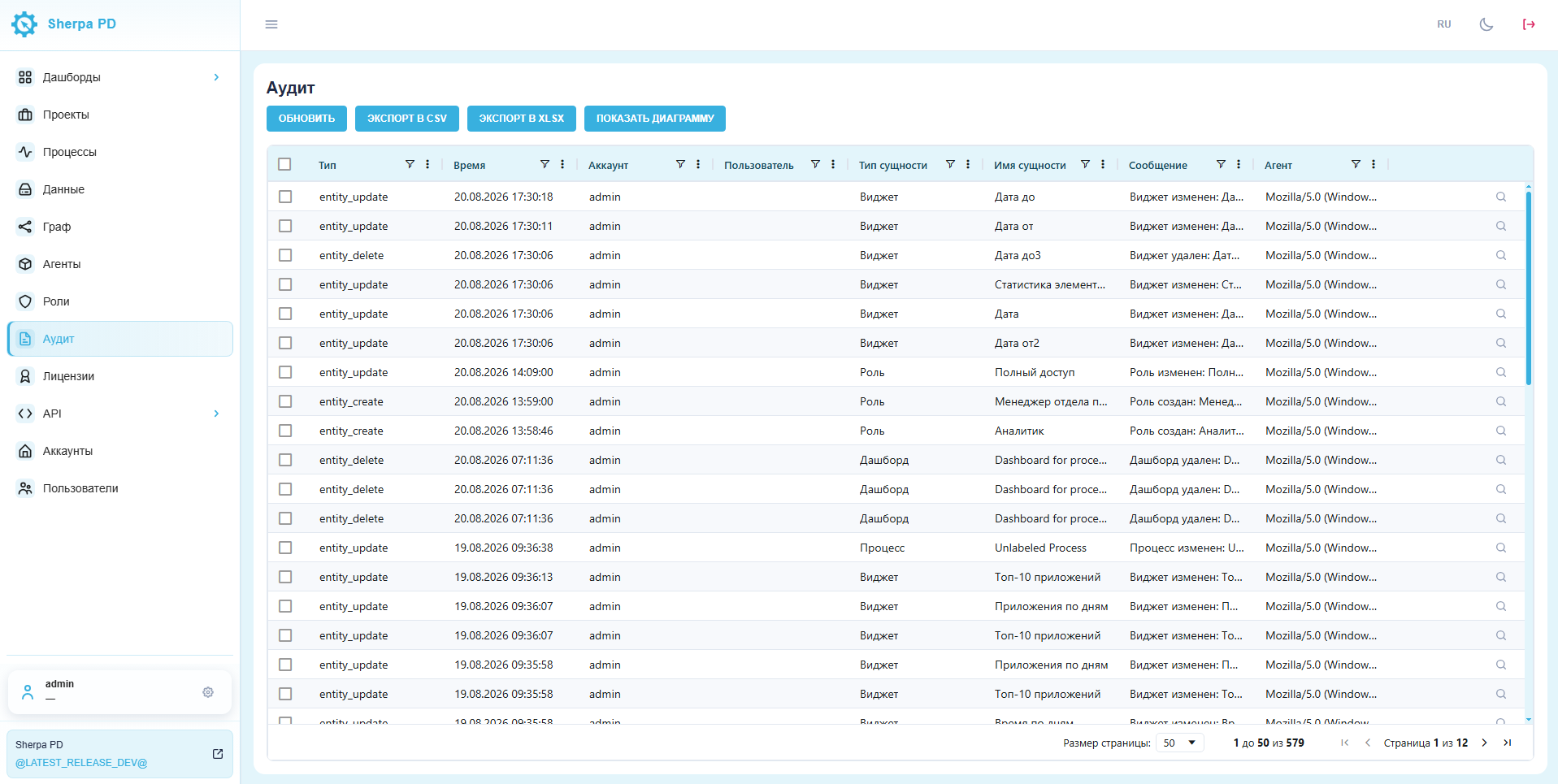
The Audit section shows actions performed on objects on the Sherpa Process Discovery server.
Open Audit from the left menu.
If the item is missing from the menu, click the gear next to your username. In the window that opens, click the pin icon next to Audit to add it to the main menu.
1. Change list#
The buttons at the top let you refresh or export the list and view a diagram.
The audit table contains these fields:
- type (the action performed);
- time;
- account (the account used to make the change);
- user;
- entity type (the type changed by the user);
- entity name;
- message;
- agent (browser type);
- magnifying glass icon to view event details.
2. Event details#
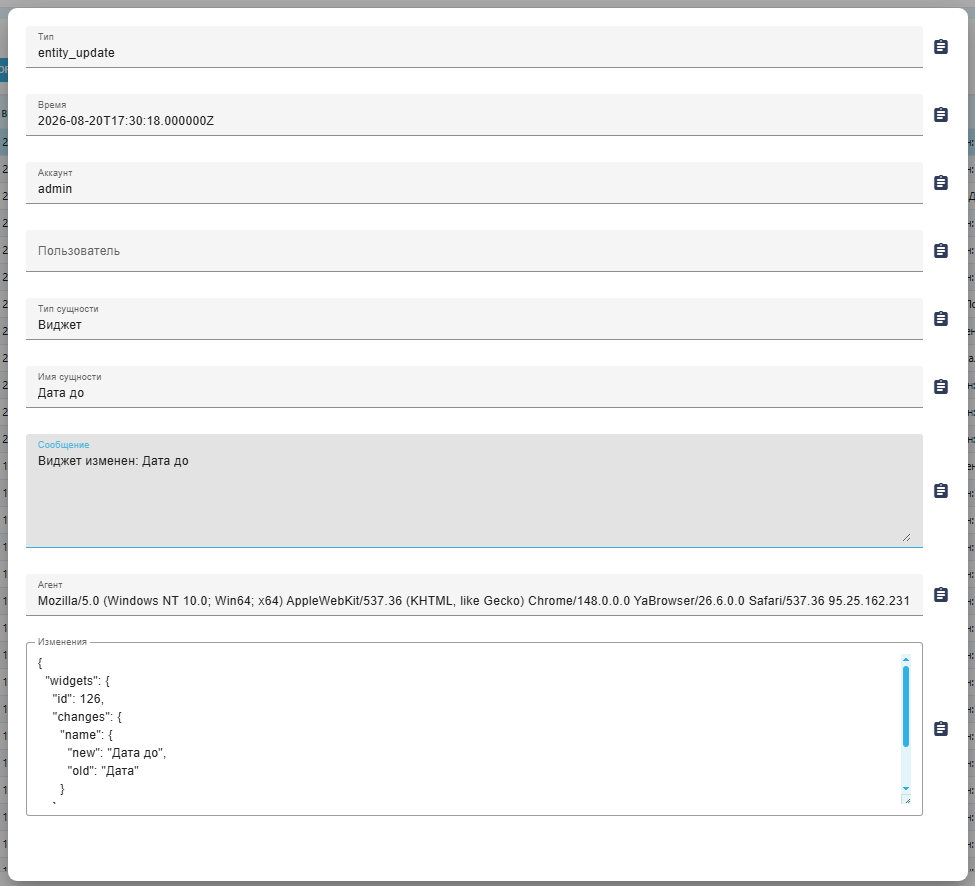
Click the magnifying glass at the end of a row to open a dialog.
In addition to the table fields, the dialog shows exactly what changed and the previous value.
3. Change history#
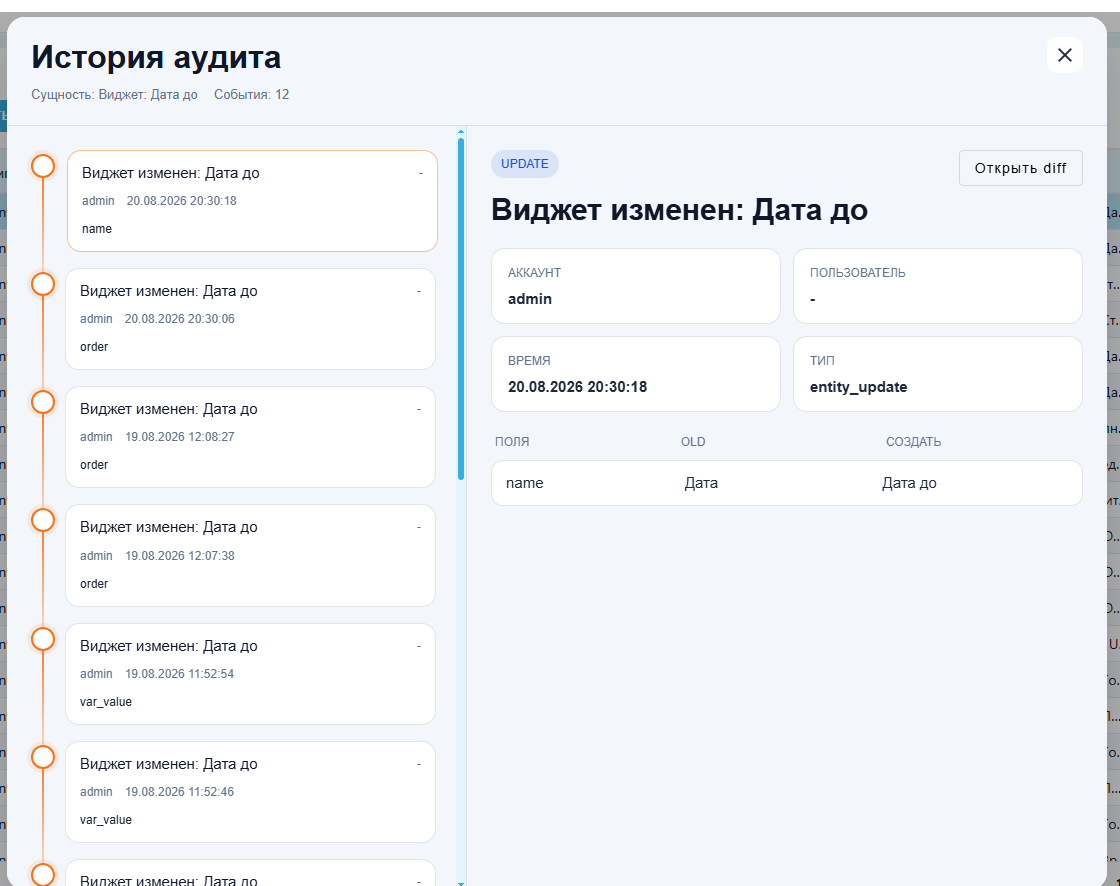
Select a row and click Show diagram. A window opens with the full history of changes to the object, starting from its creation.