
Web process designer#
For Sherpa Orchestrator version 5.10.0.
The web designer creates and edits Process diagrams in a browser within Sherpa Orchestrator. The developer does not need to install Sherpa Designer for the actions described in this section. A Robot with Sherpa RPA Runtime installed executes the workflow.
Access requirements#
Sign in to Sherpa Orchestrator before opening the designer. Viewing requires permission to read Processes and access to the selected Process object folder. Saving a new version requires permission to create Processes. See Roles.
The installed Orchestrator build must have the web designer enabled. If the view icon is missing from a version row, the administrator needs to check the build and permissions.
Opening the designer#
The designer can be opened as follows:
- Select a Process on the Processes screen.
- In the "Process Versions" table, click the view icon depicting a connected diagram in the required version row.
- The Sherpa Designer screen opens with that version’s diagram and the "Editor" and "Runs" tabs.
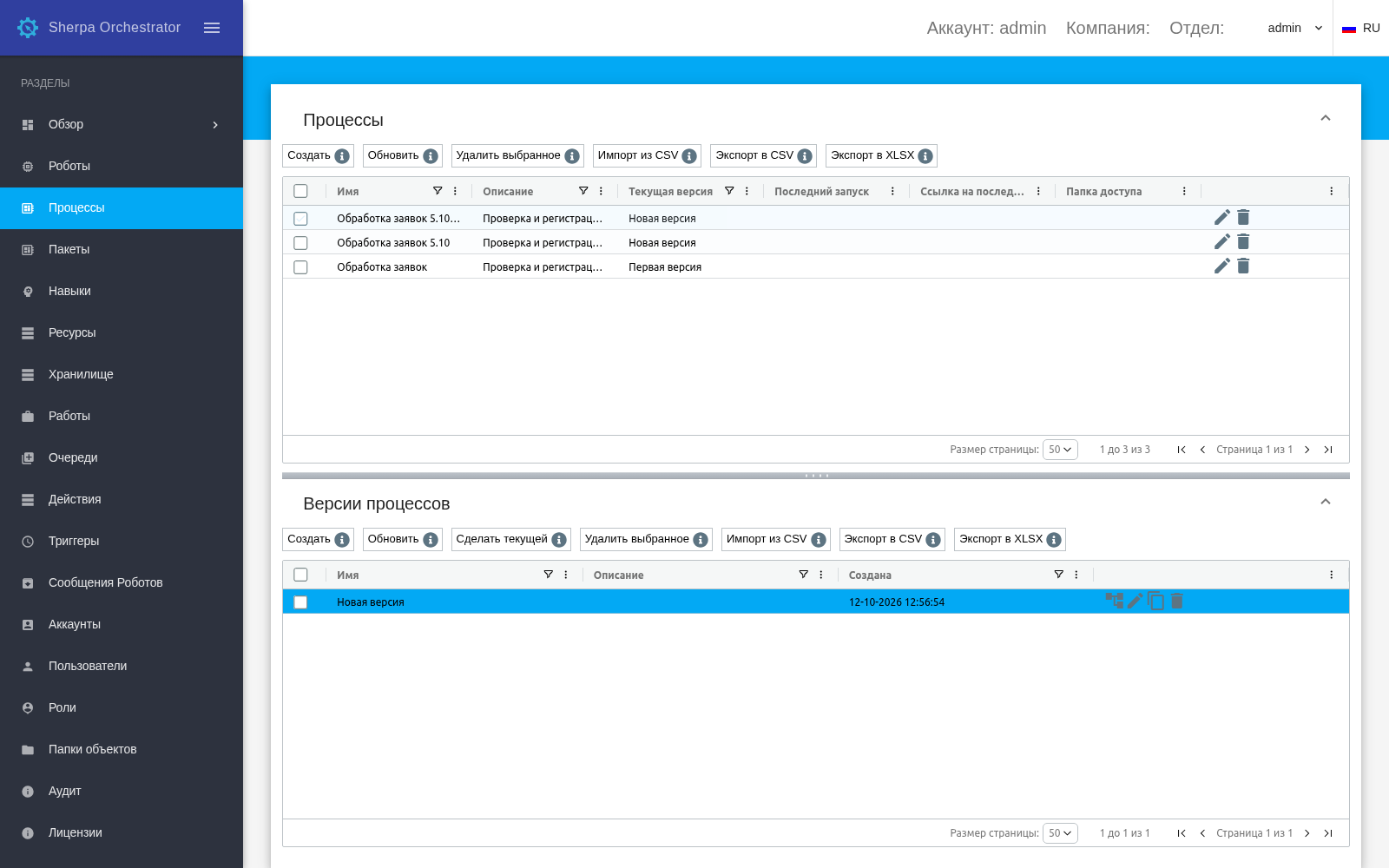
Process version and the web designer view icon
The "Editor" tab contains the canvas, toolbar and access to the project tree. The plus button on the right of the canvas opens the block catalog.
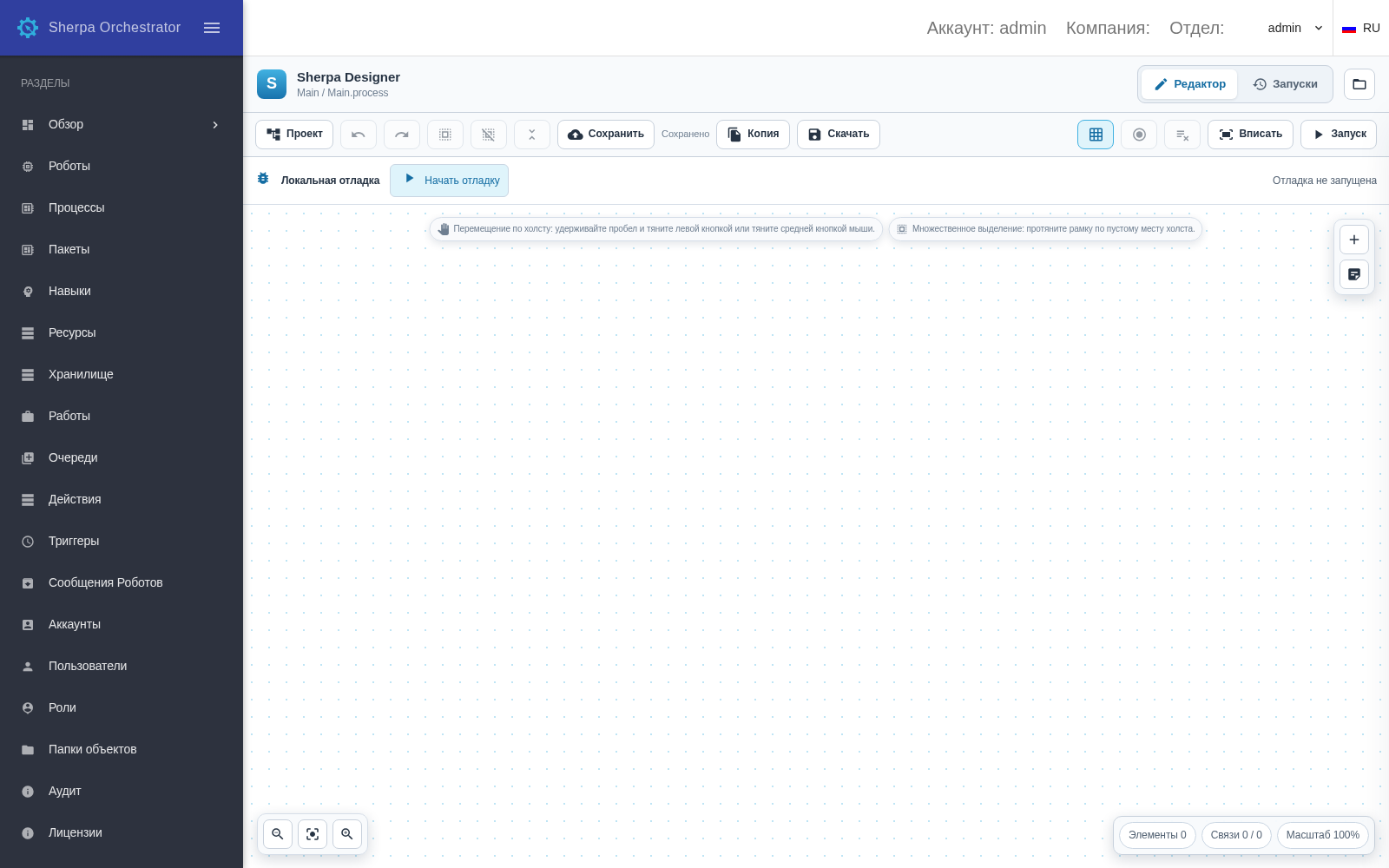
Web designer workspace
Working with a Process#
This section provides these instructions:
- Creating and saving versionsdocs.sherparpa.ru
- Diagrams and blocksdocs.sherparpa.ru
- Properties and variablesdocs.sherparpa.ru
- Project structure and filesdocs.sherparpa.ru
- Running and messagesdocs.sherparpa.ru
- Updating blocks from the librarydocs.sherparpa.ru
- Breakpoints and local debuggingdocs.sherparpa.ru
Version 5.10.0 capabilities#
The following articles describe platform capabilities and their use:
- Development modes and project protectiondocs.sherparpa.ru
- Catalog, block versions and workflow structuredocs.sherparpa.ru
- Queues and execution machinesdocs.sherparpa.ru
- Deployment, composition and licensingdocs.sherparpa.ru
- OCR, TOTP, LLM and office documentsdocs.sherparpa.ru
- Publication and environmentsdocs.sherparpa.ru
- Platform 5.10.0 capabilitiesdocs.sherparpa.ru