
Version 5.9.6#
A new Sherpa Orchestrator release is available: Version 5.9.6.
Release date: November 6, 2026.
1. Restarting a completed Job#
The Jobs screen now has a "Restart" button for running a completed Job again. The new attempt retains the original Job's identifier and GUID. There is no need to create a new Job to run it again.
Before restarting, Orchestrator checks the executor, the original Process Version, and the associated Task. A busy Robot, a Robot reserved for debugging, a busy Task, or an attempt already in progress prevents a restart. A delayed completion message from the previous attempt no longer completes the new attempt.
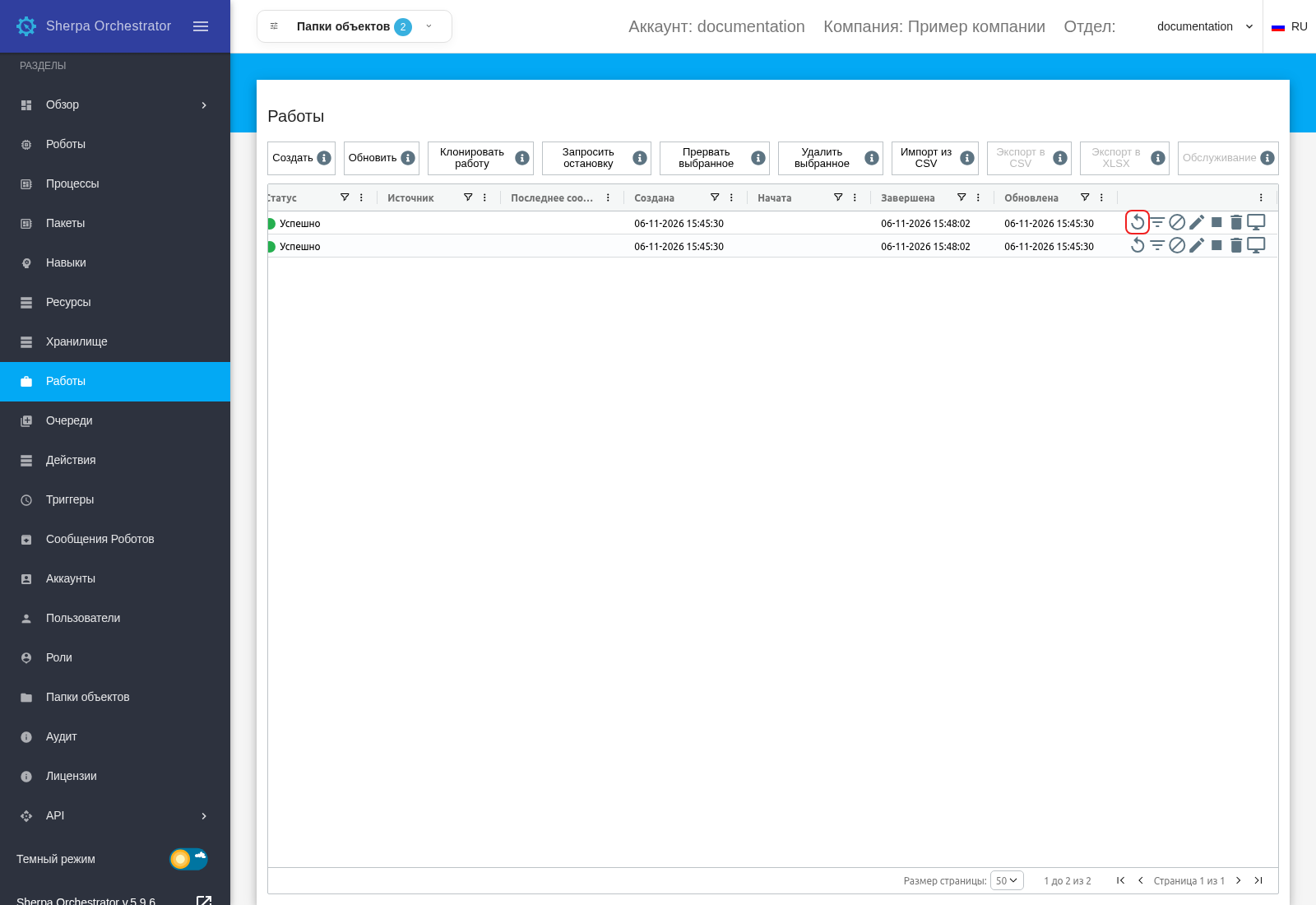
Jobs screen: Restart button for a completed Job (Russian interface).
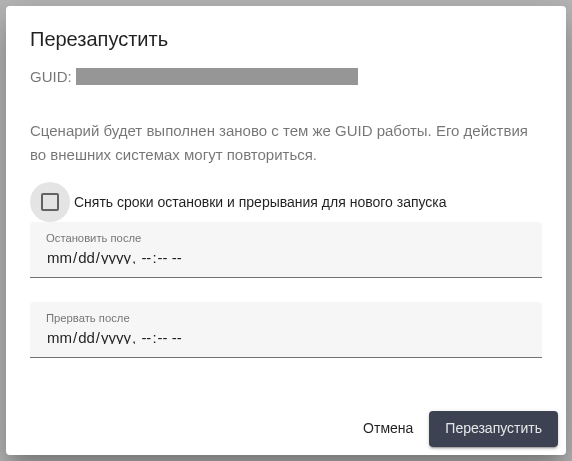
Restart dialog: confirmation to run the Job again (Russian interface).
2. Parameters when creating a Task#
The Queues screen now allows Task parameters to be filled in before the Task is created. Use the "Parameters" button in the new Task form. Once saved, the Task already contains the supplied data, without having to reopen it to enter parameters.
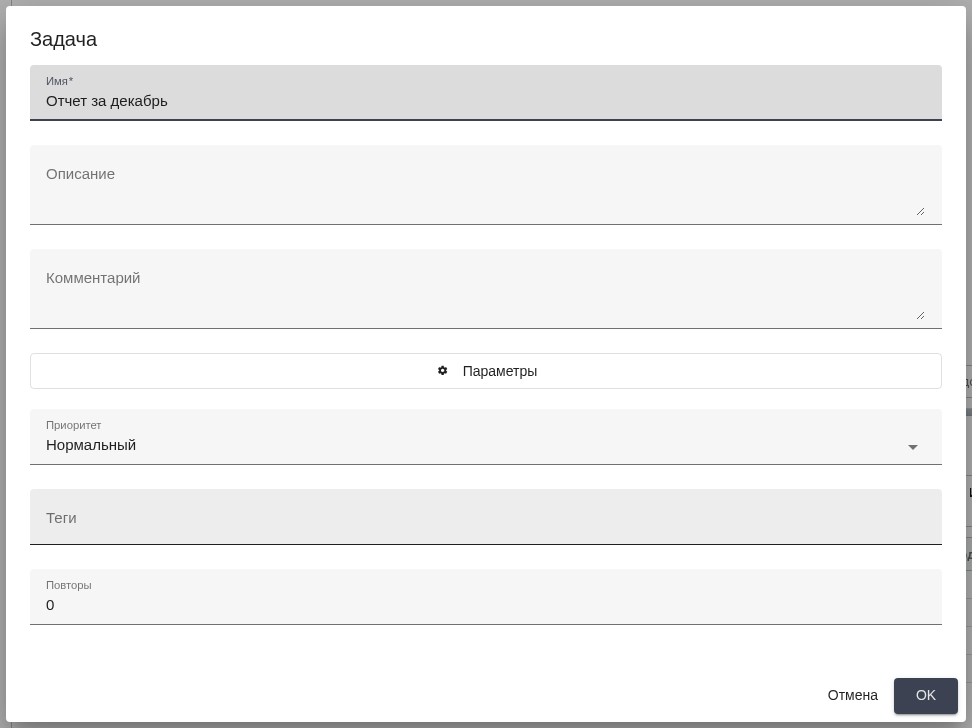
Task dialog: Parameters button before creating the Task (Russian interface).
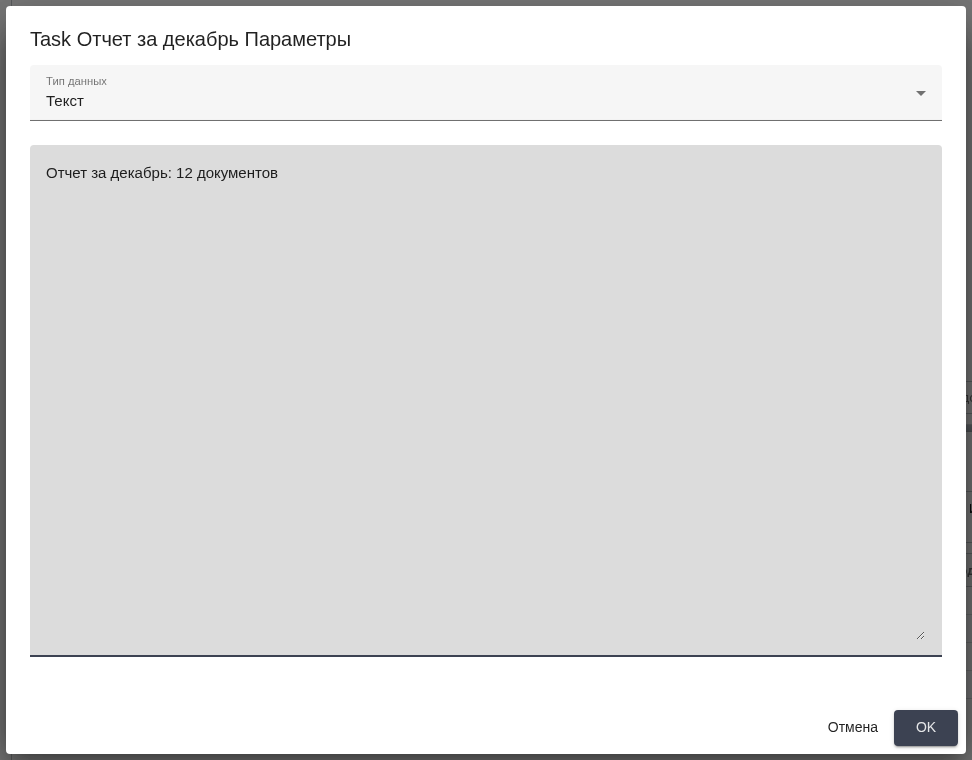
New Task parameters: sample text before saving (Russian interface).
3. Uploading files through Actions#
The form builder on the Actions screen now includes a file upload control. The form author specifies the Storage Folder, allowed file types, maximum file size, and the Task parameter that receives the uploaded file's GUID.
Users upload files directly while processing a Task in My Actions and can see upload progress. The form stores the file reference in the Task parameters. Files that do not meet the configured restrictions produce an error so that users can select a suitable file.
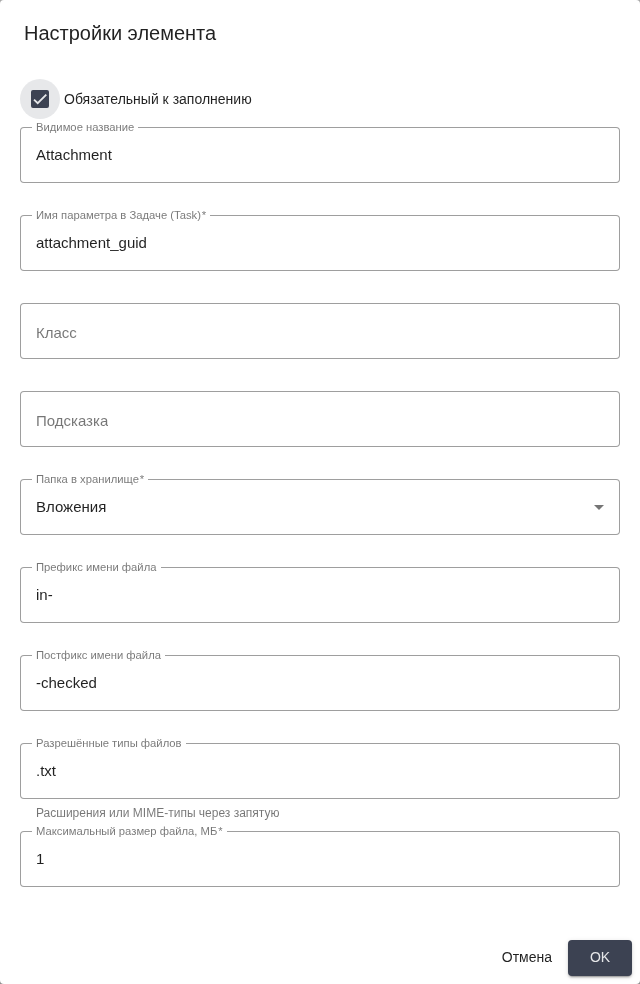
Control settings: Storage Folder, file type, and size. Russian interface.
4. Passing the login from an Action form#
The Actions form builder now includes a "Send login" control for passing the operation's author to the parameters of a newly created or cloned Task. The server uses the verified login from the current User session. No manual login entry is required.
This feature supports parameters of the "Hash table" type. An incompatible parameter type or a Task from another Queue is rejected before the source Task changes. This associates the processing result with the User who performed the action.

Task parameters: the login is added alongside form data. Russian interface.
5. New Trigger tags and batch Task assignment#
The Triggers screen now accepts newly entered Queue tags. Users enter a new tag while configuring a Trigger. Saving waits for tag creation, removing the need to reopen the form to select it.
Scheduled Triggers now support assigning available Queue Tasks to several free Robots in a group in one activation. An administrator enables this with SCHEDULE_GROUP_QUEUE_BATCH=1. Single assignment remains the default.
Batch assignment applies to a Trigger with a Queue and a Robot Group, without email activation or continuous processing. Robots reserved for debugging remain unavailable to the scheduler. This setting allows several available executors to receive Tasks in one Trigger run.
6. Creating a Job on behalf of a Robot through API v1#
POST /api/v1/jobs now supports Robot GUID authentication with the Authorization: Basic base64(<robot-guid>) header. An integration can also create a Job for a Robot Group by supplying robot_group_guid.
The associated Process, Robot, Robot Group, and Task must belong to the calling Robot's Account. Objects may be in its Object Folder or have no Folder. A Robot without a Folder can use only objects without a Folder. Access to an unavailable object returns 404.
GUID authentication identifies the Robot making the request. It does not change licensing restrictions on execution. Attended Robots run locally through Sherpa Assistant, while server-initiated Job execution is intended for Unattended Robots. Creating a Job through the API does not grant an Attended Robot the right to server-initiated execution.
This authentication method is supported only for creating Jobs and obtaining Queue Tasks for processing.
The legacy /api/job/create method is unchanged. When moving an integration to /api/v1/jobs, account for Object Folder checks: a request previously accepted without those checks by the legacy API may return 404. The new authentication method does not extend to other API v1 methods.
7. Sending a screenshot file to the Robot Logs API#
POST /api/v1/logs now accepts multipart/form-data. An integration sends a screenshot as a PNG file in the file field without converting the image to base64. The file size limit is 12 MiB. The existing JSON/base64 method is preserved.
The fields multipart field accepts a JSON object and preserves nested value types. Root arrays and objects with sequential numeric keys are rejected. Invalid files are also rejected before a record is created, avoiding a Robot Log with an invalid attachment.
8. Checking the database schema after an update#
General diagnostics now provide broader MariaDB and PostgreSQL checks to help administrators find discrepancies after installation or an update. All migrations and the final schema are checked, including tables, column types, indexes, constraints, triggers, and related data consistency.
Schema diagnostics are read-only and do not run migrations. A separate prompt allows this module to be skipped while other checks continue. The final summary records the skipped check. The standalone check_database_schema.sh script performs the check without a prompt.
Schema catalogs include the My Actions request table. A fully updated database no longer produces a false outdated-catalog warning because of this table. A new or modified migration without a current reference is marked as an incomplete check rather than a successful result.
9. Preserving data while processing Tasks in My Actions#
My Actions no longer loses entered parameters when saving a form or switching Tasks, including when several Users work with the same form simultaneously. A late server response no longer replaces the current Task's data, and applying a button repeatedly does not repeat the operation.
Concurrent edits are handled through conflict resolution, and the form is saved atomically. Saving and cloning Tasks in the older format have been restored. Access to other Accounts' Queues and deleted Queues remains blocked.
Concurrent creation of Tasks with tags no longer loses a Task or a new tag. If saving is rolled back, the API returns an error instead of the GUID of a nonexistent record. External scripts in Actions HTML blocks now execute in their declared order so that a dependent script runs after the preceding script.
10. Reasons for connection check failures for an email Trigger#
On the Triggers screen, connection checks for an email Trigger now distinguish connection, TLS, authentication, and folder selection errors. Users receive a failure reason and can correct the relevant setting instead of repeating a check without an explanation.
A nonexistent mail folder no longer yields a successful result with zero messages. The original error reason is written to the server log for further administrator diagnosis.
11. Recording local Attended Robot runs in Orchestrator and protecting Job updates through the API#
The Jobs screen in Orchestrator once again records a Job when an Attended Robot runs locally through Sherpa Assistant. This requires the "Create Job when local robot is run" checkbox to be enabled in the "Robot" dialog on the Robots screen. The Process runs on the User's computer and does not need to be uploaded to Orchestrator. The Job lets Orchestrator keep a record of that local run.
When the Job is created, the request is checked to ensure it comes from the Robot being run. A completed Job is protected against restarting through this way of recording local runs.
The legacy PUT /api/job/update method now more strictly checks that the Job and related objects belong to the current Account. Replacing the Account or internal identifier is prohibited. An integration updates only an accessible Job in its own Account.
12. Correct time order on system metric charts#
System metric chart points now appear in chronological order from left to right. Users viewing the last 720 values see the sequence in which metrics changed.
The axis displays short dates in the Account's time zone. Hovering over a point shows the full date, making it easier to associate a value with a particular moment of system activity.
13. Sidebar without an unnecessary horizontal scrollbar#
The unnecessary horizontal scrollbar that appeared when collapsing or expanding the sidebar has been removed. Users move between screens without scrolling the menu horizontally. Vertical scrolling and nested sections are preserved.