
# URL-адреса по которым обращаются блоки онлайн-сервисов

Для корректной работы блоков с онлайн-сервисами, необходимо настроить доступ на уровне сервера, или машины, куда происходит подключение по RDP, VNC или AnyDesk.

Ниже приводится актуальный список URL-адресов для используемых блоков онлайн-сервисов:

<table data-header-hidden><thead><tr><th width="176"></th><th width="406"></th><th width="235"></th></tr></thead><tbody><tr><td><strong>Название сервиса</strong></td><td><strong>URL-адрес</strong></td><td><strong>Примечания</strong></td></tr><tr><td>ChatGPT</td><td><code>https://api.openai.com/v1/chat/completions</code></td><td><p>Доступ по умолчанию:</p><p><code>https://sherpa.wiregeo.com</code><br><br></p></td></tr><tr><td>Shepra AI Server</td><td>Обращается к серверу, на котором установлено приложение (в настройках Ассистента)</td><td>Адрес зависит от локальной установки, как правило, это внутренний IP или доменное имя</td></tr><tr><td>YandexGPT</td><td><code>https://iam.api.cloud.yandex.net/iam/v1/tokens</code><br><br><code>https://llm.api.cloud.yandex.net/foundationModels/v1/completion</code></td><td><br></td></tr><tr><td>GigaChat</td><td><code>https://gigachat.devices.sberbank.ru/api/v1/chat/completions</code></td><td><br></td></tr><tr><td>Claude</td><td><code>https://api.anthropic.com/v1/messages</code></td><td><br></td></tr><tr><td>GroqChat</td><td><code>https://api.groq.com/openai/v1/chat/completions</code></td><td><br><br></td></tr><tr><td>OpenRouter</td><td><code>https://openrouter.ai/api/v1/chat/completions</code></td><td><br></td></tr></tbody></table>

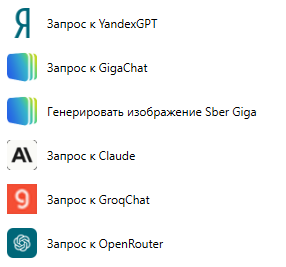
К данным адресам нужно иметь доступ для работы соответствующих блоков:
<figure><img src="https://lh7-rt.googleusercontent.com/docsz/AD_4nXf3P0Z_ONengwPdrtZDauJ1m9lKsMI5hGKR5wCf9ZkHQaa3zkZW5tk0SxaFzW7PfDIuCVRqB_XUD5efGQZaeHTolvhDW3FlTdywEIN_KC4v4Ko-_I_sgSZesy-FqFTPhMqT4Uhtvw?key=c-kfAEp7VBchDYgccZTyJA" alt=""><figcaption></figcaption></figure>

Подробное описание данных блоков можно найти в соответствующих разделах:

{% embed url="<https://docs.sherparpa.ru/sherpa-designer/spravochnik-blokov/mashinnoe-obuchenie-machine-learning/zapros-k-chatgpt-openaichatrequest>" %}

{% embed url="<https://docs.sherparpa.ru/sherpa-designer/spravochnik-blokov/mashinnoe-obuchenie-machine-learning/zapros-k-sherpa-ai-server-sherpaaiserverrequest>" %}

{% embed url="<https://docs.sherparpa.ru/sherpa-designer/spravochnik-blokov/mashinnoe-obuchenie-machine-learning/zapros-k-yandexgpt-yandexgptrequest>" %}

{% embed url="<https://docs.sherparpa.ru/sherpa-designer/spravochnik-blokov/mashinnoe-obuchenie-machine-learning/zapros-k-gigachat-sbergigachatrequest>" %}

{% embed url="<https://docs.sherparpa.ru/sherpa-designer/spravochnik-blokov/mashinnoe-obuchenie-machine-learning/zapros-k-claude-clauderequest>" %}

{% embed url="<https://docs.sherparpa.ru/sherpa-designer/spravochnik-blokov/mashinnoe-obuchenie-machine-learning/zapros-k-groqchat-groqchatrequest>" %}

{% embed url="<https://docs.sherparpa.ru/sherpa-designer/spravochnik-blokov/mashinnoe-obuchenie-machine-learning/zapros-k-openrouter-openrouterchatrequest>" %}

Подробнее о подключении сторонних сервисов:

{% embed url="<https://docs.sherparpa.ru/sherpa-robot-i-sherpa-assistant/podklyuchenie-storonnikh-servisov>" %}


---

# Agent Instructions: Querying This Documentation

If you need additional information that is not directly available in this page, you can query the documentation dynamically by asking a question.

Perform an HTTP GET request on the current page URL with the `ask` query parameter:

```
GET https://docs.sherparpa.ru/sherpa-rpa/sherpa-designer/url-adresa-po-kotorym-obrashayutsya-bloki-onlain-servisov.md?ask=<question>
```

The question should be specific, self-contained, and written in natural language.
The response will contain a direct answer to the question and relevant excerpts and sources from the documentation.

Use this mechanism when the answer is not explicitly present in the current page, you need clarification or additional context, or you want to retrieve related documentation sections.
