
Version 2.5.3#
These notes are prepared for Sherpa AI Server version 2.5.3. The release date will be added after publication.
1. Before updating#
Before updating, review the notes for all intermediate versions and complete their requirements. If the current version is earlier than 2.5.0, agree on the upgrade path with support.
2. Chat and the chat list#
On the Chat screen, conversations without an Assistant now offer a searchable Model selector. The selected Model is used for subsequent replies. Selection remains restricted while a request is running or when the Model is unavailable. This lets users change Models without losing conversation history.
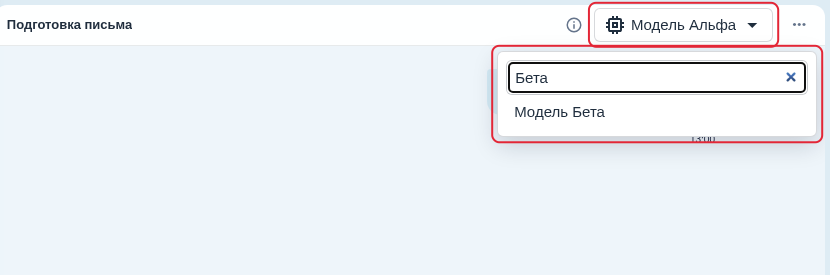
Searching for a Model in an open Chat without an Assistant.
The chat list now updates after new messages and changes to reply state. A Chat waiting for a reply shows an indicator, while an unopened Chat with a new reply shows a marker. The list synchronizes with the server after reconnection. Chats are ordered by the time of their last message: renaming a Chat does not move it to the top. This helps users find recent conversations and notice completed replies.
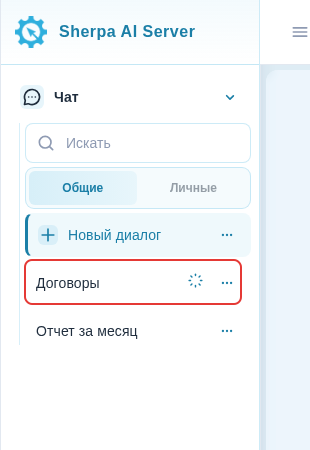
Indicator for a Chat waiting for a reply.
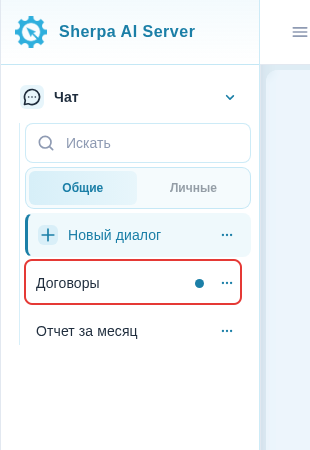
New-reply marker for an unopened Chat.
A single click on a quick reply no longer sends the message to previously opened Chats.

Quick reply and the sent message in the current Chat.
Approximate numbers with a single ~, such as ~230 В, no longer appear struck through. Intentional Markdown strikethrough still works.
After the open Chat is successfully deleted as part of a bulk operation, the right panel is cleared and a new Chat opens. This lets users continue without a conversation that has already been deleted.
See the Chat guide for the workflow.
3. Documents and indexing#
Full document indexing with OCR now has a separate timeout of 600 seconds by default. Background error details are now written to the server log without enabling debug mode. Reindexing no longer fails when a file has empty service metadata. This helps process large documents and diagnose failures.
Indexing settings now validate the selected embedding Model correctly. An unavailable path or cleanup failure shows a localized reason without exposing the internal path. If indexing is unavailable, Chat saves the request and explains the problem instead of answering from unavailable documents or retrying automatically. Errors 401 and 429 from an external Model remain distinct. This helps distinguish configuration problems from an external service failure.
Recovery is described in the indexing Model change guide.
4. Speech recognition#
The transcription Model settings now include a "Diarization" checkbox. It appears when assigning a Model for transcription and controls speaker separation for the current WhisperX request. The selection is saved on the first assignment. Diarization remains enabled for Models assigned before the update.
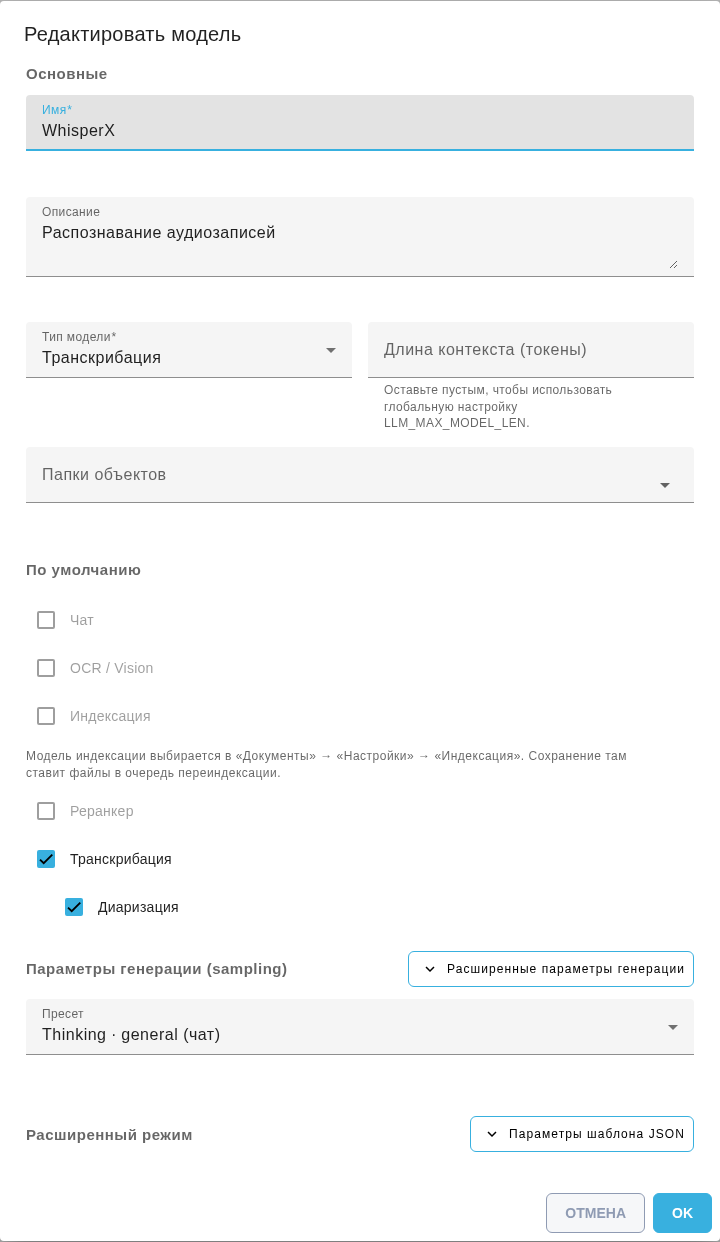
The "Transcription" and "Diarization" checkboxes in Model settings.
Configuration is described in the Models guide.
5. Assistants and Roles#
Importing Assistant solution samples from XLSX has been fixed. Files created by the product's own export are supported. Existing samples remain intact if an XLSX or CSV file is invalid. XLSX defaults to limits of 10,000 rows, 128 columns and 500 MiB. Administrators can change them with AISERVER_SAMPLE_IMPORT_MAX_ROWS, AISERVER_SAMPLE_IMPORT_MAX_COLUMNS and AISERVER_SAMPLE_IMPORT_MAX_BYTES.

Question and answer pairs on the Assistant "Solutions samples" tab.
When creating or editing a Role, its name is checked only within the current Account. A Role with the same name in another Account does not block saving or reveal that Account's Role names. This keeps Accounts independent and protects their data.
Importing is described in the Assistants guide.
6. Object Folders#
A new Object Folder that the User can view is now selected automatically after creation. Previously selected folders are preserved, and the list and counter in the top panel are updated. If the User cannot view the new folder, the interface shows a warning. This lets users work with the new folder immediately within their access permissions.
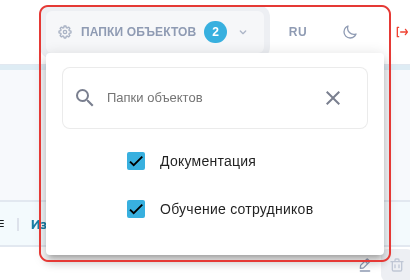
Selected Object Folders and the counter after creating a new folder.
Permissions and the workflow are described in the Object Folders guide.
7. Updating and interface settings#
A migration version conflict that could stop database upgrades has been fixed. The recent-message index is created even in databases where the conflicting migration was already applied.
The auto_expand_sidebar_sections option in the interface appearance file branding.json can keep left menu sections collapsed on sign-in and page navigation. Automatic expansion remains the default.
Parameters are described in the interface appearance guide.